
Single Sign-On revamp
Every Female Daily sign-up and login ran on SMS codes, which were expensive, and the bill spiked at every X Beauty festival. Over about a year, I redesigned sign-up, login and account recovery across the app and the web, with codes sent through WhatsApp and email instead.
Company
Female Daily Network
My role
UI/UX designer
Year and platform
About a year, over several sprints
Platform
Mobile app, mobile web and desktop web
At a glance
The problem
One Female Daily account was meant to open every product, but signing in no longer felt seamless. And every verification code went out by SMS, the most expensive channel.
What I did
Redesigned sign-up, login, verification, password recovery and account settings around WhatsApp and email codes, with SMS as a fallback, across three platforms.
The result
Shipped in stages over about a year. Moving codes to WhatsApp and email cut the cost of every code, at list prices by around half, right where events made it hurt most.
One account, four products
A single Female Daily account opens the whole network. That makes sign-in the front door to everything: reviews, editorial, shopping and events. When it gets in the way, every product feels it.
Female Daily
Beauty reviews and community
Female Daily Studio
Beauty E-Commerce
Mommies Daily
Editorial for mothers
Girls Beyond
Editorial for Gen Z women
Two problems in one flow
Signing in stopped feeling like one account
The single sign-on flow had drifted over time. Moving between products, or coming back after a while, no longer felt seamless.
Every code cost money
Sign-up and login relied on one-time codes sent by SMS, the most expensive way to deliver them. The more people signed up, the more it cost.
Why X Beauty made it painful
Ticket 1
Account A, phone number A
SMS code
Ticket 2
Account B, phone number B
SMS code
Ticket 3
Account C, phone number C
SMS code
X Beauty is Female Daily’s beauty festival, with more than 400 brands at its 2025 Jakarta edition. One account could hold only one active ticket, so someone buying three tickets needed three accounts with three phone numbers, and every sign-up sent another SMS. Each festival brought a rush of sign-ups, and the cost spiked with it.
Brand count: Indonesia’s Ministry of Creative Economy, on Jakarta X Beauty 2025.
Choosing cheaper ways to send codes
The fix started with a question about delivery, not screens: which channel do people already check, and what does each code cost? WhatsApp answered both. Nine in ten Indonesian internet users have it, and a WhatsApp authentication message costs around half the price of an SMS.
Approximate cost to send one verification code in Indonesia
Public list prices from messaging providers, in rupiah
~46%
less per code with WhatsApp instead of SMS, at list prices
~Rp 3 million
saved for every 10,000 codes sent through WhatsApp
90.8%
of Indonesian internet users use WhatsApp
Illustrative only: Female Daily’s contracted rates aren’t public and differ from list prices. Sources: Message Central (SMS OTP, Indonesia), Gupshup WhatsApp rate card for Indonesia (authentication), We Are Social via Databoks, Q2 2025 (WhatsApp usage).
Main channel for phone numbers
Codes arrive in the app people already have open.
For email sign-ins and recovery
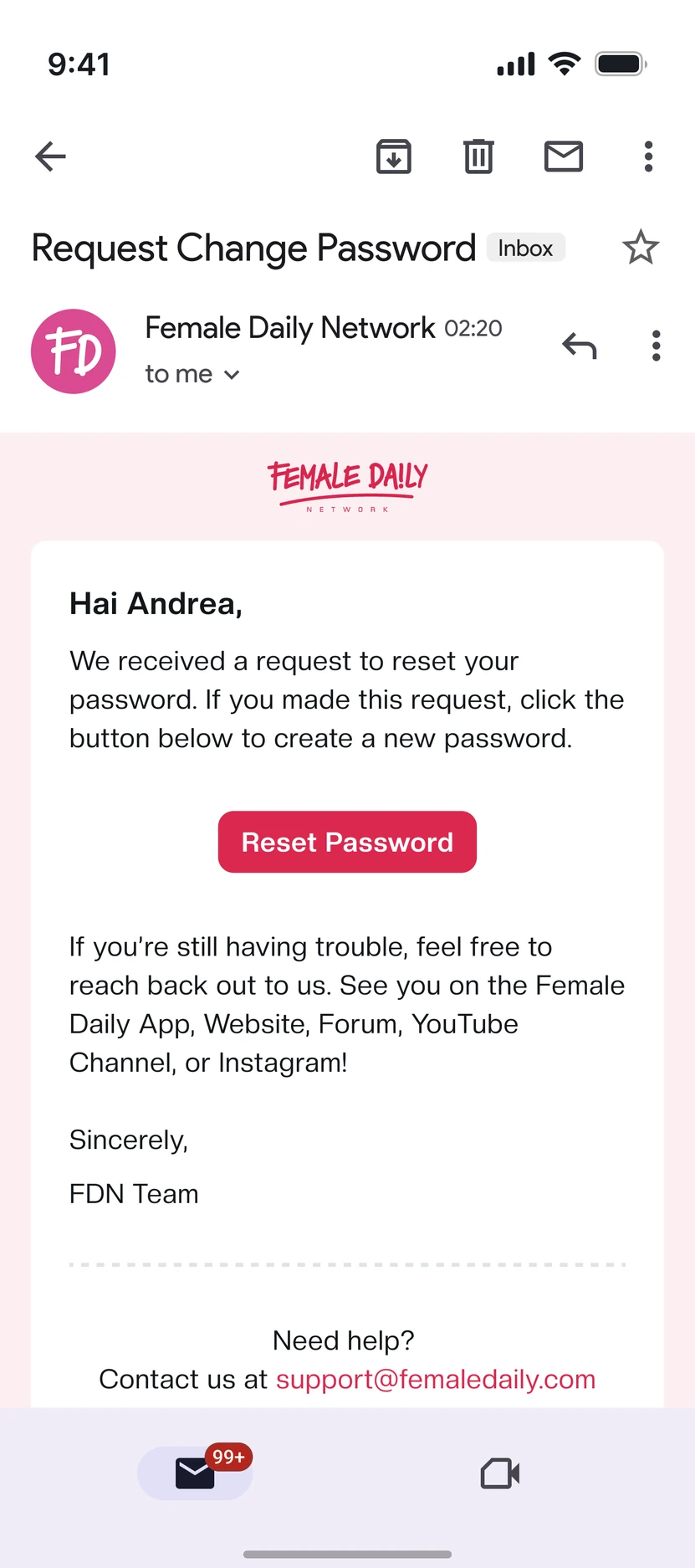
Codes and reset links go to the inbox, at almost no cost.
SMS
Fallback only
Still there when a code doesn’t arrive, instead of being the default.
Three principles
Cheapest channel first
Default to WhatsApp and email. Offer SMS only when someone needs it.
Ask for less, later
Get people in with just a phone number. Collect the rest once they’re inside and see why it matters.
Limits that explain themselves
Every block says what happened and when to try again, so guardrails don’t feel like a wall.
The redesigned flows
Register
Log in
Request and verify codes
Forgot password
Account settings
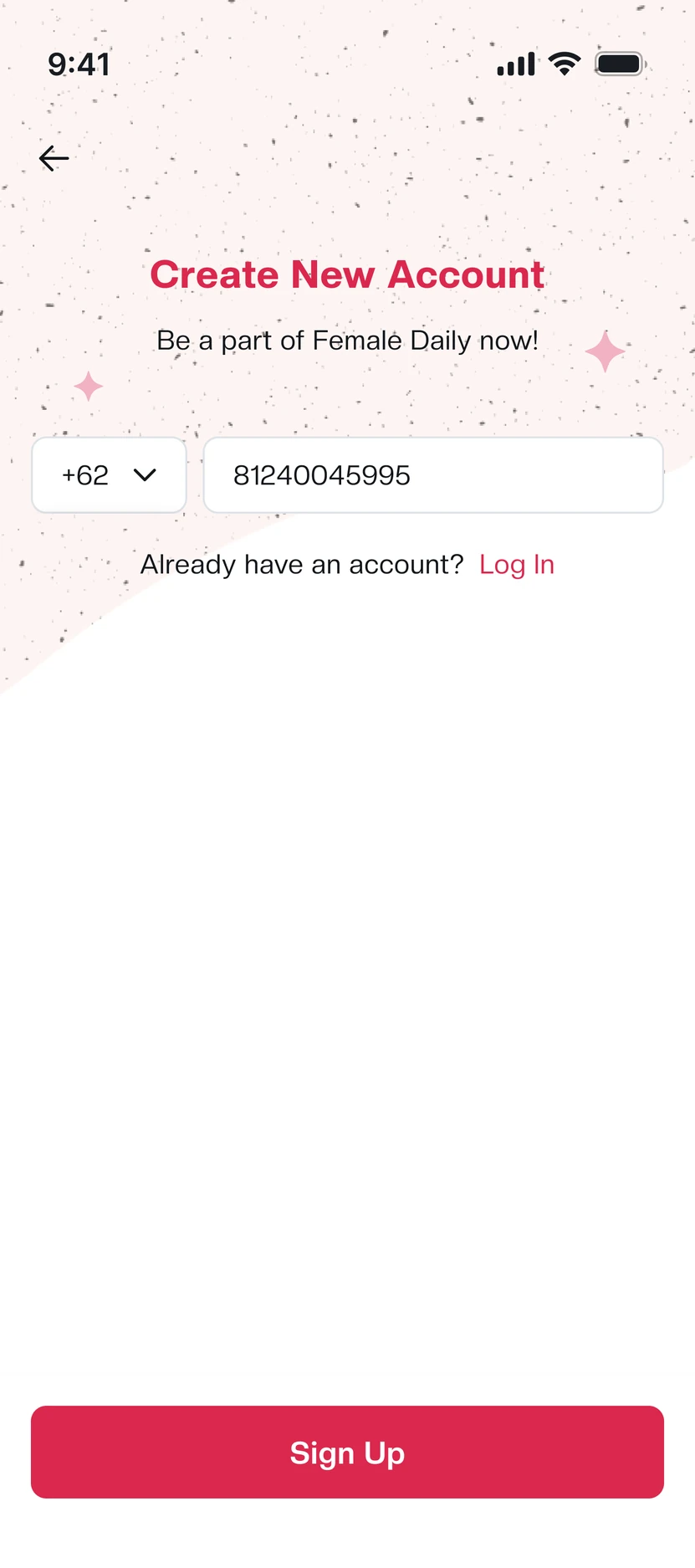
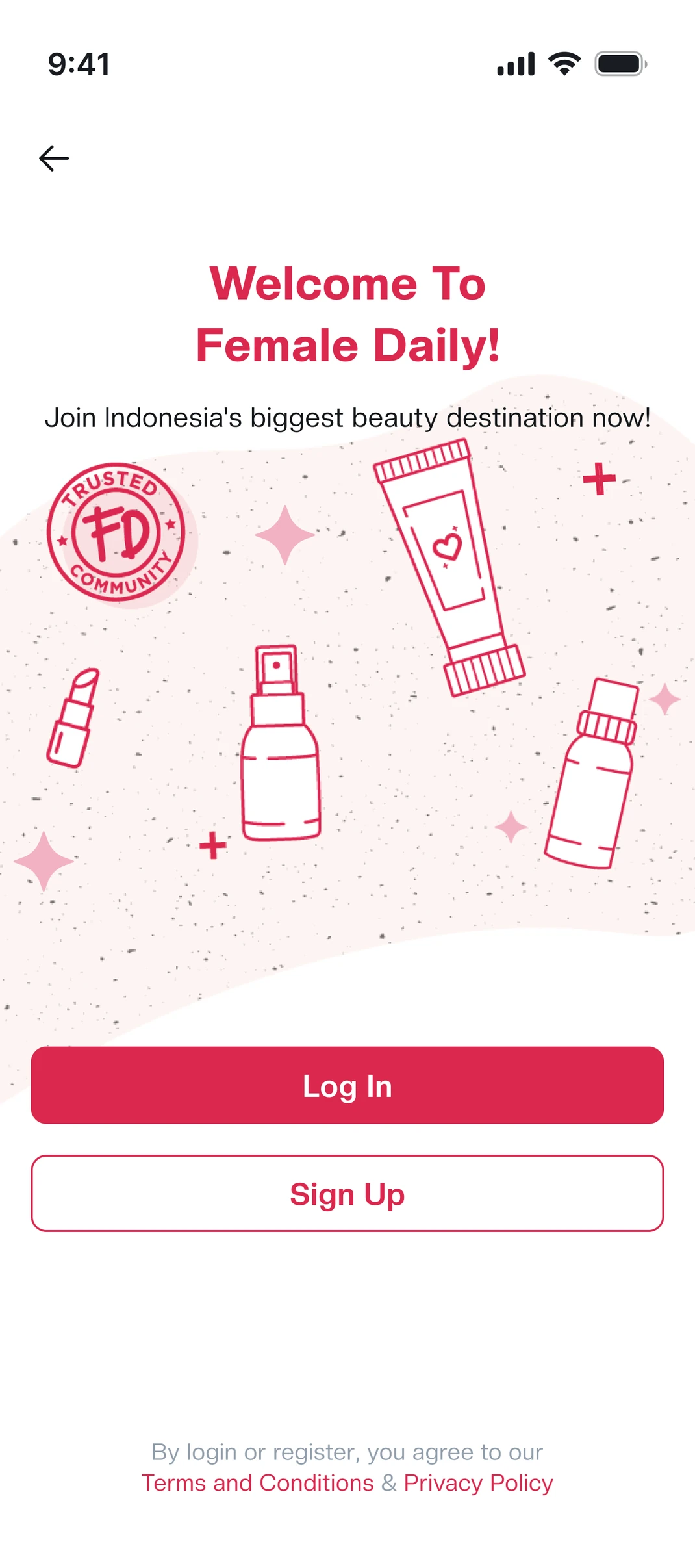
Sign up
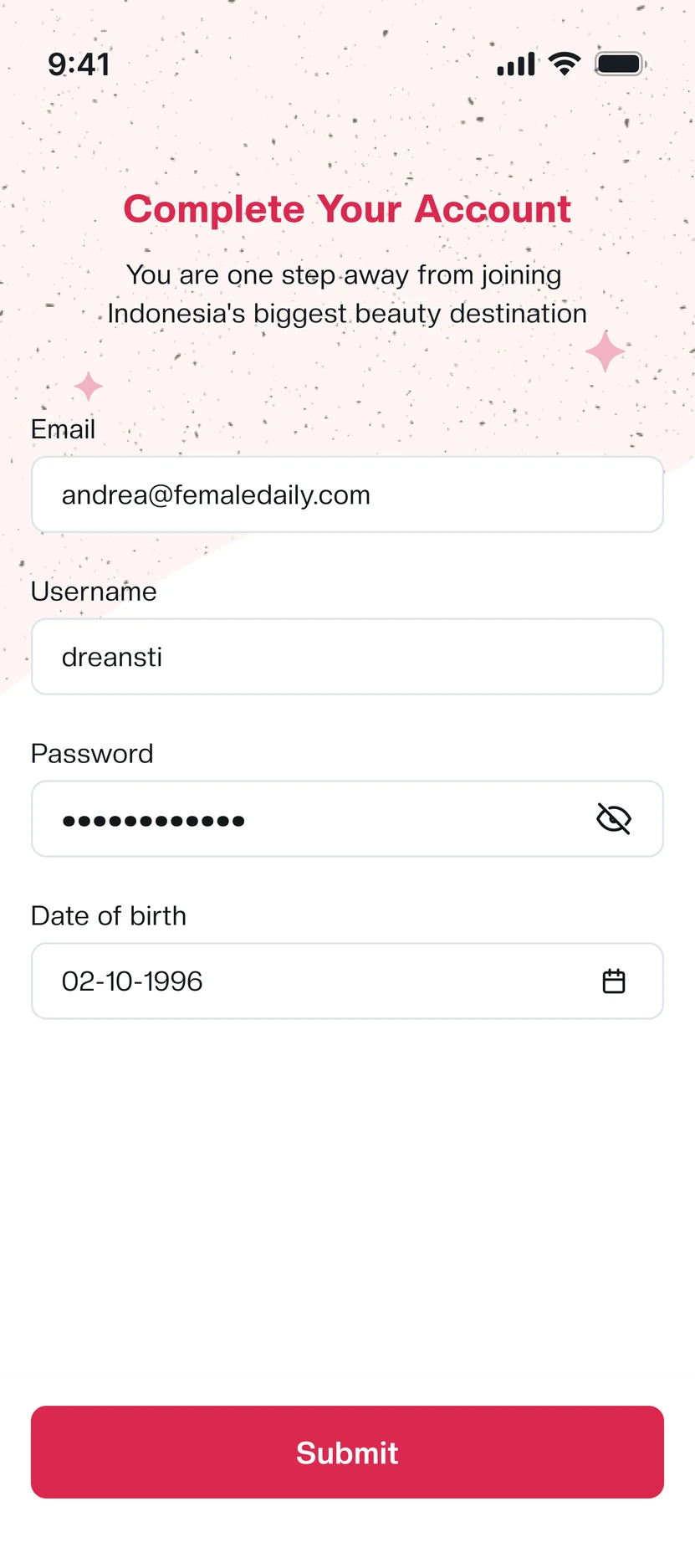
Start with a phone number, finish your profile later
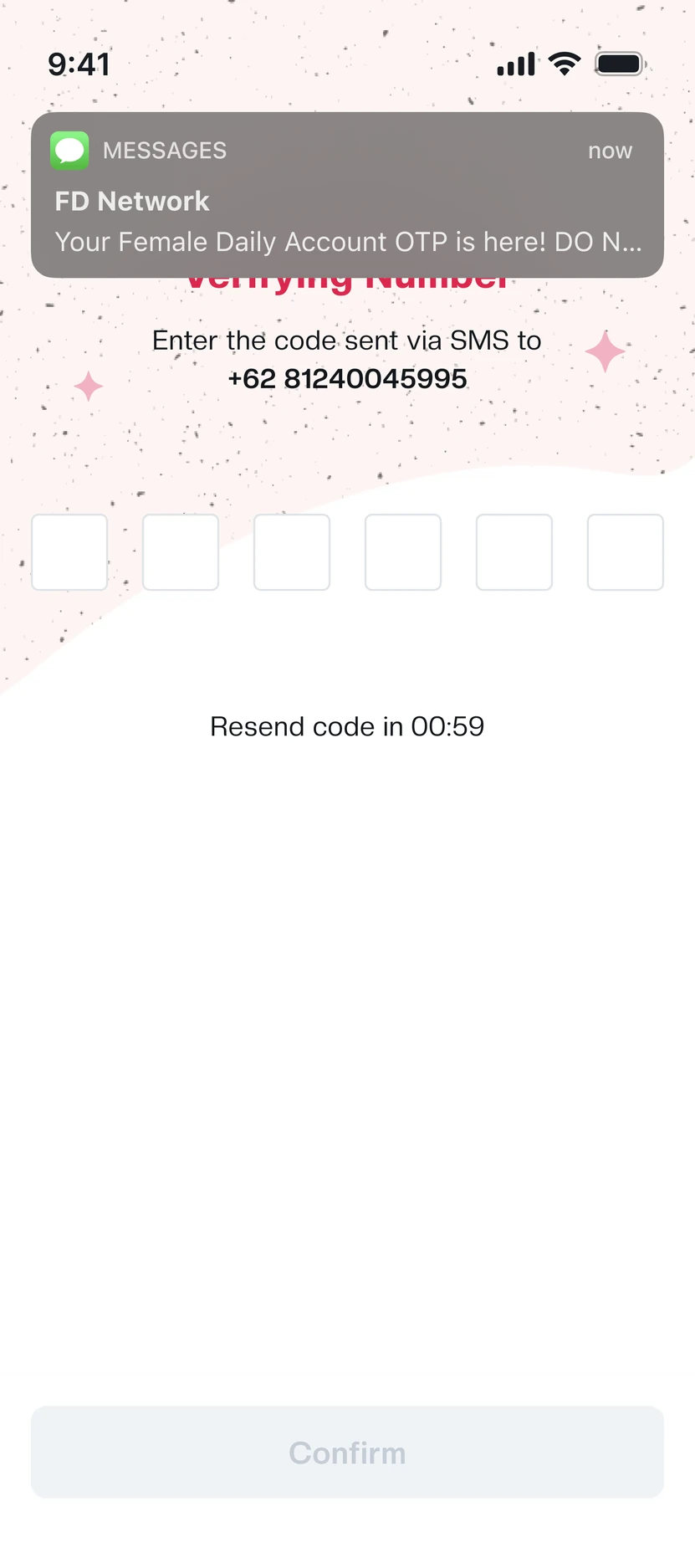
Sign-up asks only for a phone number, then a WhatsApp code. Details like email, username and date of birth come after, in a step that shows how complete the profile is.
Log in
Phone number or email, side by side
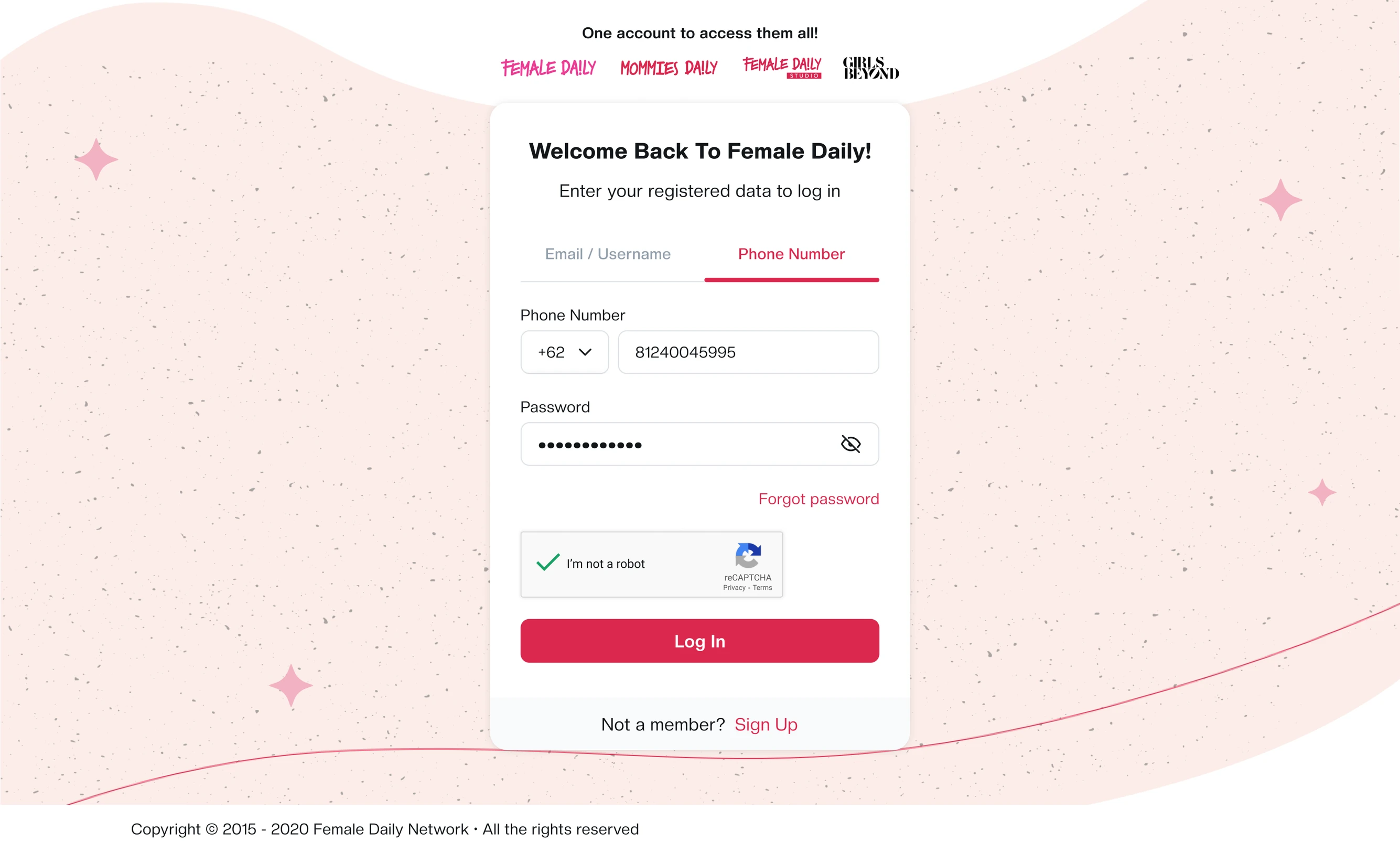
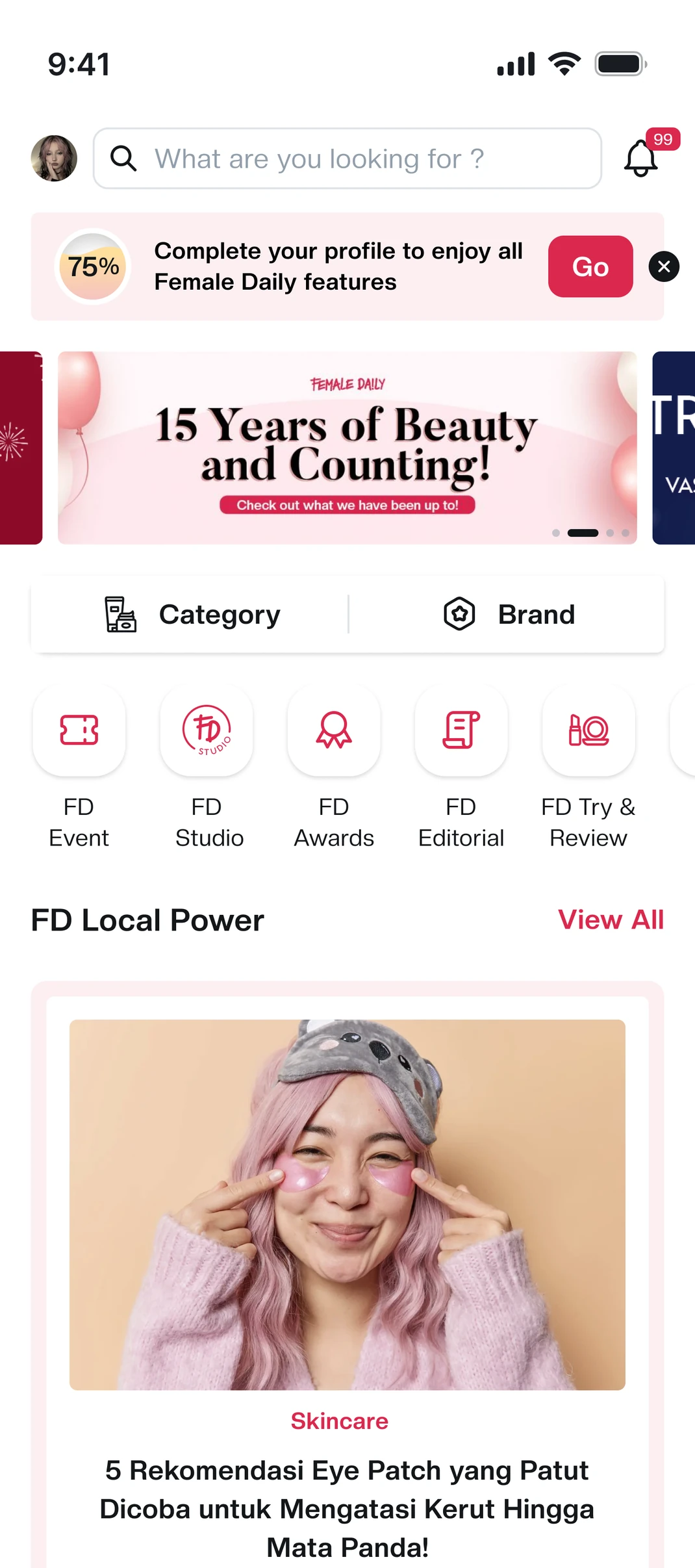
The login offers two tabs, so people can sign in the way they signed up, with Forgot Password close by. After logging in, a banner on the home screen nudges them to finish their profile.
Guardrails
Clear limits that also protect the budget
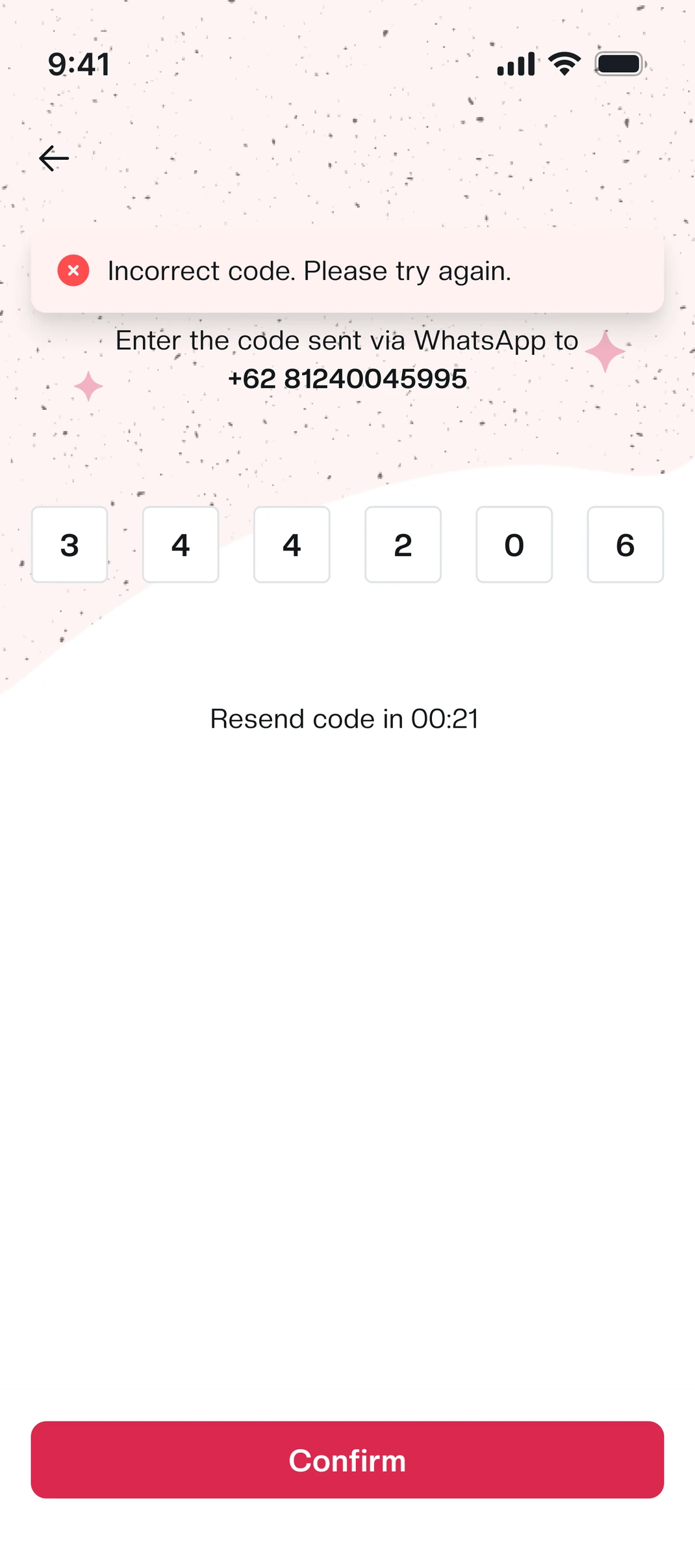
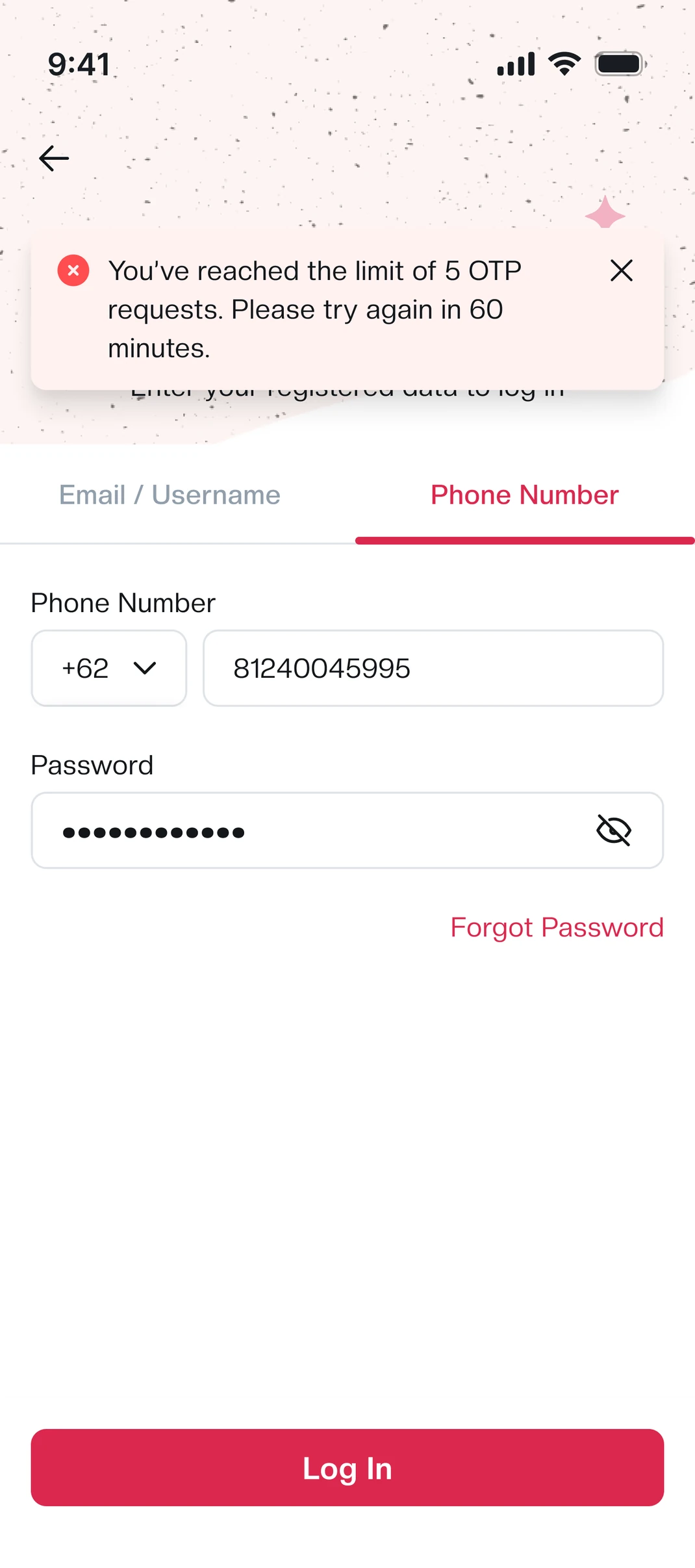
Wrong and expired codes get their own messages. After five code requests, sending pauses for 60 minutes, and the message says exactly when to try again. That keeps people informed and stops codes being sent over and over.
Existing members
Bringing old accounts along
Many members signed up before verification existed. When someone logs in with a number that’s registered but not yet verified, the flow asks them to verify it on the spot. If a login fails, it offers a password reset instead of a dead end. On the web, settings show an Unverified label and a Verify Now button, so people can fix it anytime.
Recovery
Getting back in, by email or phone
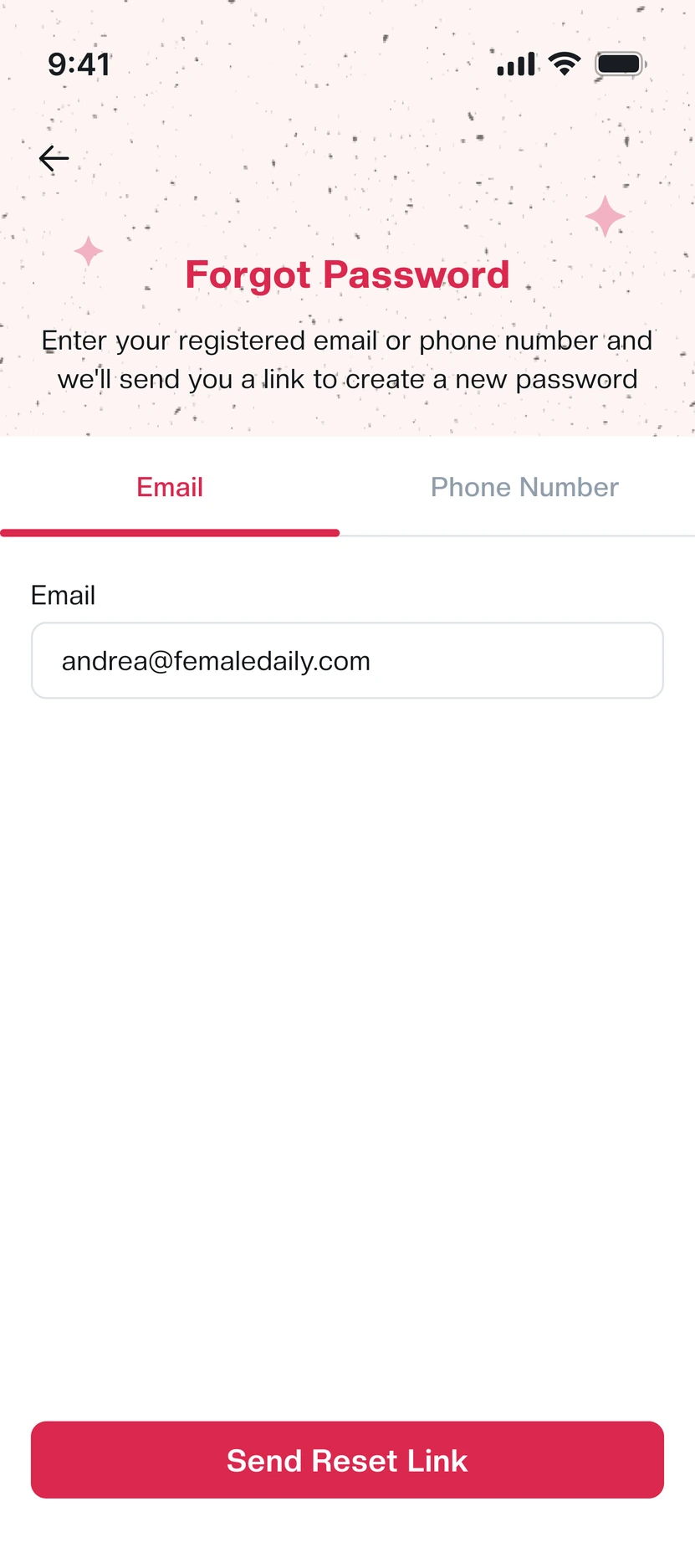
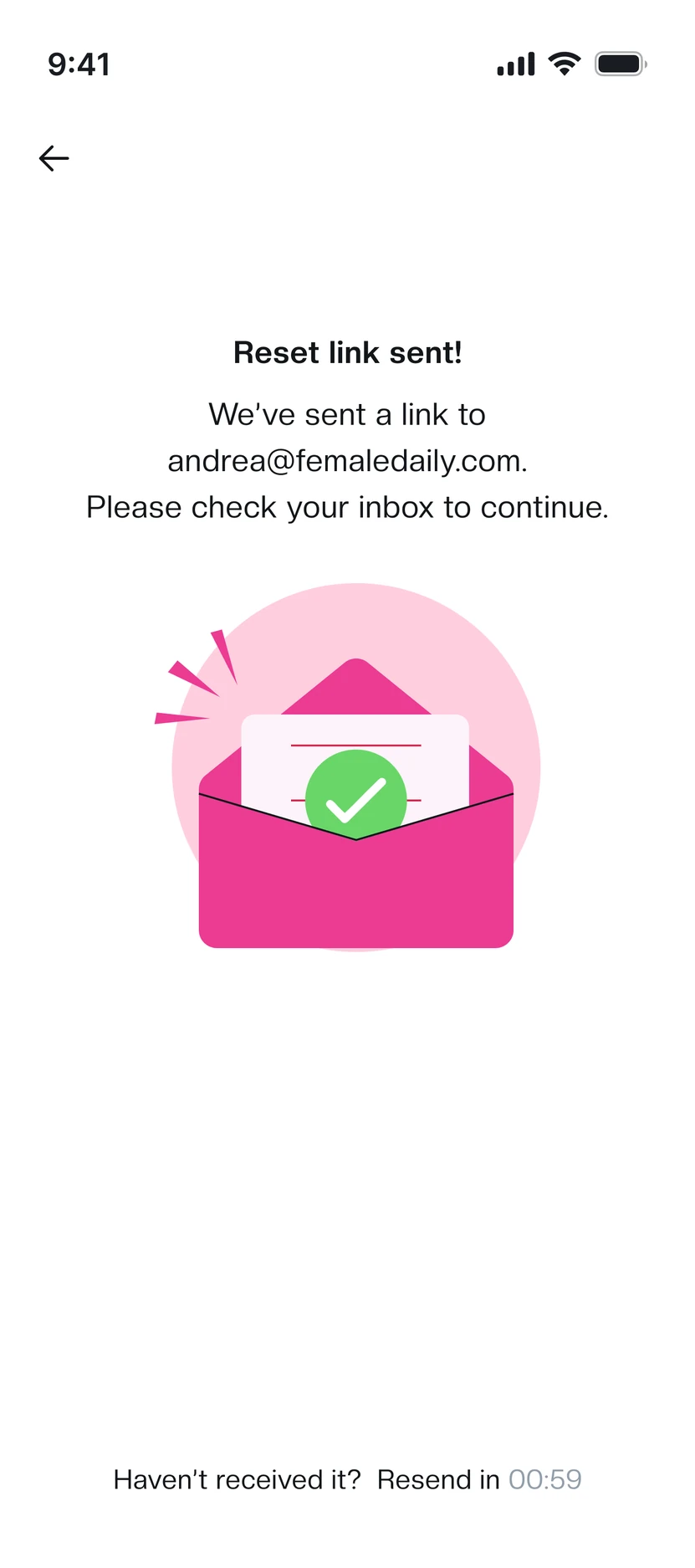
Forgot Password works with either an email or a phone number. Settings show whether a phone number is verified, and let people change it with a fresh code.
Designed for what goes wrong
Authentication is mostly edge cases. Each flow was mapped with its negative scenarios on every platform, so engineering never had to guess.
Situation
What the person sees
Number too short or too long
A prompt to enter a correct phone number, between 7 and 14 digits.
Letters, spaces or symbols
The same clear prompt, before any code is sent.
Number already belongs to an account
A message saying it’s registered, with a path to log in instead.
Registered but not verified
A step to verify the number before continuing.
Wrong code
“The code you entered is wrong”, with the fields kept for another try.
Expired code
A message that the code is no longer valid, with resend available.
Too many code requests
After 5 requests, a pause of 60 minutes, with the exact wait stated.
Waiting for a code
A countdown before resending, and SMS as a fallback option.
Failed login
An offer to reset the password instead of a dead end.
Country code search fails
“Sorry, no result found”, or a retry if something went wrong.
Mobile app
Native screens with the number keypad and WhatsApp notifications in view.
Mobile web
The same flows inside the browser, with the network header.
Desktop web
Centred forms and settings modals, with “One account to access them all” across the top.
What I learned
Business costs are design problems too
The cheapest fix wasn’t a new screen. It was choosing a delivery channel and designing limits that people understand.
Big changes ship in pieces
Over a year of sprints, the hard part was keeping three platforms and four flows consistent while each piece went live.
Have a role in mind?
Let’s talk.
Open to product design roles, remote or on-site with relocation. Based in Jakarta (GMT+7).